Enterprise IT Solutions

Virtualization Solution for Enterprise

Enterprise virtualization is the foundational technology for modern IT infrastructure, enabling organizations to abstract physical hardware resources—compute, storage, and networking—into multiple virtual machines (VMs) or containers. In Indonesia, where businesses are rapidly digitizing, a robust virtualization solution is critical for achieving high availability, disaster recovery, and operational efficiency. Intilogy delivers end-to-end virtualization solutions leveraging industry-leading hypervisors such as VMware vSphere, Microsoft Hyper-V, Citrix Hypervisor, and open-source KVM. Our architecture encompasses server virtualization, desktop virtualization (VDI), application virtualization, and network function virtualization (NFV), all integrated with centralized management platforms like VMware vCenter and Microsoft System Center. By decoupling software from hardware, enterprises can achieve up to 80% server consolidation, reducing power, cooling, and floor space costs. Virtualization also enables live migration, automated load balancing, and non-disruptive maintenance, ensuring 99.999% uptime for mission-critical applications. For Indonesian enterprises facing challenges like legacy infrastructure sprawl, high operational costs, and slow provisioning, virtualization provides a path to a lean, agile, and scalable data center. Additionally, it forms the bedrock for private and hybrid cloud adoption, containerization with Kubernetes, and DevOps practices. Intilogy's virtualization solutions are tailored to comply with local regulations and support multi-site deployments across Java, Sumatra, and Kalimantan. Our team of certified architects designs, implements, and optimizes virtualized environments that maximize ROI while minimizing risk. Whether you are consolidating servers in Jakarta, enabling remote work with VDI in Surabaya, or building a disaster recovery site in Batam, our virtualization solution ensures business continuity and operational excellence.

Virtualization Solution Architecture

A typical enterprise virtualization architecture consists of a hypervisor layer running on x86 or ARM servers, abstracting physical resources into logical pools. The hypervisor (Type 1 bare-metal) directly manages CPU, memory, storage, and network I/O, eliminating OS overhead. VMware vSphere, for instance, uses ESXi hypervisor with VMkernel for resource scheduling, memory overcommitment, and advanced features like vMotion, DRS, and HA. Storage virtualization is achieved through software-defined storage (vSAN, S2D, or Ceph) or integration with enterprise storage arrays via Fibre Channel or iSCSI. Network virtualization uses virtual switches (vSwitch, Open vSwitch) and SDN controllers (NSX, Cisco ACI) to create isolated, policy-driven networks. Management planes like vCenter or SCVMM provide centralized provisioning, monitoring, and automation. For desktop virtualization, Citrix Virtual Apps and Desktops or VMware Horizon deliver Windows or Linux desktops from centralized hosts, using protocols like HDX or Blast Extreme for low-latency user experience. The architecture must include redundancy at every layer: multiple hypervisors in a cluster, shared storage with RAID/erasure coding, and redundant network paths. In Indonesia, where power fluctuations and latency to cloud regions can be issues, a well-designed on-premises virtualization solution ensures predictable performance and data sovereignty.

Our reference architecture for mid-to-large enterprises uses a minimum of three physical hosts (e.g., Lenovo ThinkSystem SR650 or Dell PowerEdge R750) with dual 10GbE networking, connected to a shared storage array (e.g., Dell PowerStore or Synology FlashStation) or HCI appliance. For high availability, we configure clusters with at least two fault domains, using VMware vSAN or Microsoft Storage Spaces Direct for local storage pooling. Management is streamlined with VMware vCenter Server or Microsoft System Center Virtual Machine Manager, enabling self-service portals and automated provisioning via templates and orchestration tools like Ansible or Terraform. Backup integration with Veeam or Commvault ensures 15-minute RPOs for critical VMs. This architecture supports up to 500 VMs per cluster, with the ability to scale linearly by adding nodes.

Industry Use Cases for Virtualization Solution

Virtualization is ubiquitous across industries in Indonesia, but specific use cases highlight its transformative impact. In banking and finance, server virtualization enables core banking systems to run on a consolidated infrastructure with strict isolation between production, test, and DR environments. Banks like BCA and Mandiri use VMware NSX for micro-segmentation to meet regulatory compliance (OJK) and protect customer data. Desktop virtualization (VDI) is widely adopted by BPOs and call centers in Jakarta and Bandung, where Citrix Virtual Apps and Desktops deliver secure, locked-down desktops to hundreds of agents, reducing endpoint management costs by 60% and preventing data leakage. In manufacturing, companies like Toyota Astra Motor use virtualization to run MES and SCADA systems on VMs with real-time capabilities, leveraging DRS to balance loads across shifts. Retailers with multiple stores (e.g., Alfamart) deploy centralized virtualized servers in regional data centers, pushing POS and inventory applications to thin clients, simplifying updates and ensuring 24/7 uptime. Healthcare providers, such as Siloam Hospitals, use VDI for doctors and nurses to access EMR systems from any device, with GPU virtualization for medical imaging. Educational institutions (e.g., Binus University) virtualize labs for computer science students, providing isolated environments for coding and testing. Even government agencies implement virtualization for e-government services, consolidating hundreds of legacy servers into a few hyper-converged nodes. Across all sectors, virtualization enables rapid provisioning—new VMs in minutes versus days for physical servers—and supports disaster recovery with replication between data centers in Jakarta and Surabaya.

A particularly compelling use case is hybrid cloud bursting. Enterprises running VMware on-premises can extend to AWS VMware Cloud or Azure VMware Solution during peak demand (e.g., e-commerce during Ramadan). This requires consistent networking and security policies, achieved through NSX and hybrid cloud management platforms. For Indonesian enterprises with latency-sensitive workloads, keeping core applications on-premises while bursting compute to the cloud is cost-effective. Virtualization also facilitates container adoption: VMs provide the underlying infrastructure for Kubernetes clusters, allowing IT teams to run both traditional and cloud-native workloads on the same platform. This convergence reduces complexity and training needs.

Virtualization Solution vs Traditional Alternatives

Traditional physical server deployment involves one application per server, leading to low utilization (typically 5-15% CPU), high power consumption, and massive floor space requirements. For a 100-server deployment, traditional setup would require 100 physical hosts, each with redundant power supplies and network ports, costing approximately $300,000 in hardware alone, plus $50,000/year in electricity and $10,000/year in cooling. In contrast, a virtualized solution using 10 modern servers (e.g., HP ProLiant DL380 Gen10 with 2TB RAM each) can host 100 VMs, achieving 60-80% utilization. Hardware cost drops to $150,000, power to $20,000/year, and cooling to $5,000/year. Additionally, provisioning time shrinks from weeks to hours. Traditional alternatives also lack built-in high availability; physical servers require clustering software (e.g., Microsoft Failover Cluster) or manual failover, whereas virtualization provides automated HA and live migration. For disaster recovery, traditional setups need duplicate physical infrastructure, while virtualization enables replication at the VM level using Veeam or Zerto, reducing DR site costs by 50%. Management overhead is significantly lower: a single administrator can manage 100 VMs with vCenter, versus needing multiple admins for physical servers. Security is also improved: virtual networks can be micro-segmented, and VMs can be snapshotted for quick recovery from ransomware. The only downside of virtualization is the initial learning curve and the need for a robust backup strategy to avoid VM sprawl. However, for Indonesian enterprises, the TCO reduction of 40-60% over 3 years makes virtualization the clear winner over traditional alternatives.

Another alternative is containerization without VMs (e.g., running containers directly on bare metal). While containers offer higher density and faster startup, they lack the isolation and security of VMs, and require compatible OS and kernel. For multi-tenant environments or legacy apps, VMs are still required. A hybrid approach using VMs for infrastructure services and containers for microservices is the best practice. Virtualization also integrates with existing IT investments: you can virtualize Windows, Linux, and even legacy Unix workloads (e.g., Solaris on LDOMs). In contrast, containers only support Linux and Windows Server Core. Thus, for enterprise workloads with heterogeneous OS requirements, virtualization remains the superior choice.

Case Study & Implementation Methodology

Client: Multifinance Company | Location: Jakarta, Indonesia | Challenge: 150 physical servers running core lending and CRM applications, with 10% average CPU utilization. Provisioning new servers took 2 weeks, and downtime during maintenance caused 12 hours of outage per quarter, resulting in IDR 500 million lost revenue annually. The IT team struggled with cooling capacity in their 200 sqm data center. | Solution: Intilogy designed and deployed a VMware vSphere 8 cluster with 8 Dell PowerEdge R750xs hosts (512GB RAM each), connected to a Dell PowerStore 5000T all-flash storage array (20TB usable). We implemented vSAN for local storage pooling, VMware NSX for network micro-segmentation, and Veeam Backup & Replication for 15-minute RPO. All 150 VMs were migrated using VMware HCX with zero downtime. | Result: Server count reduced to 8 physical hosts (95% consolidation). Provisioning time dropped to 30 minutes via vRealize Automation. Data center power consumption decreased by 70%, saving IDR 200 million/year. Quarterly maintenance downtime eliminated thanks to live migration; uptime improved to 99.999%. The company achieved ROI within 18 months and now plans to extend to VDI for 500 remote employees.

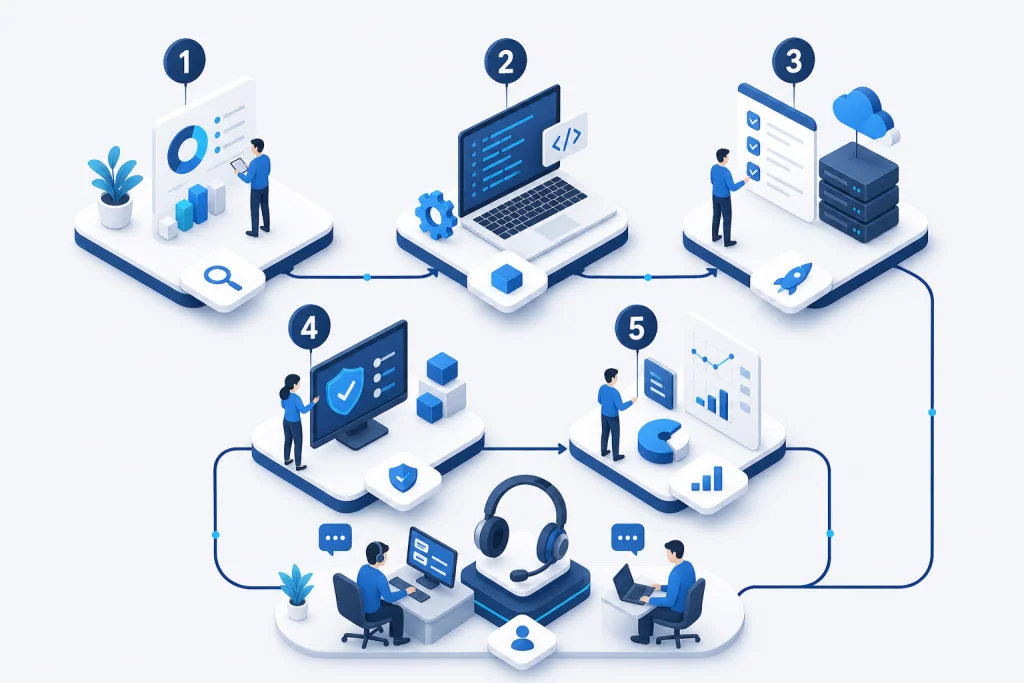
Our implementation methodology follows a six-phase approach: Assessment (discovery of existing workloads, performance baselines, and dependencies using tools like VMware Aria Operations), Design (architecture blueprint including cluster sizing, storage layout, network topology, and security policies), Proof of Concept (deploy a mini-cluster with representative workloads to validate performance and migration process), Migration (phased migration using bulk import tools, with rollback plans), Optimization (right-sizing VMs, enabling DRS and power management, setting up monitoring alerts), and Handover (training IT staff, documentation, and ongoing support). For Indonesian clients, we also ensure compliance with UU ITE and PDP law by implementing encryption at rest and in transit, and role-based access control. Our certified engineers (VCP, MCSE, CCA) provide 24/7 support from our NOC in Jakarta, with guaranteed 4-hour response for critical issues. We also offer flexible consumption models, including OPEX-based monthly payments for hardware and software, making virtualization accessible for enterprises of all sizes.

Virtualization Solution Architecture

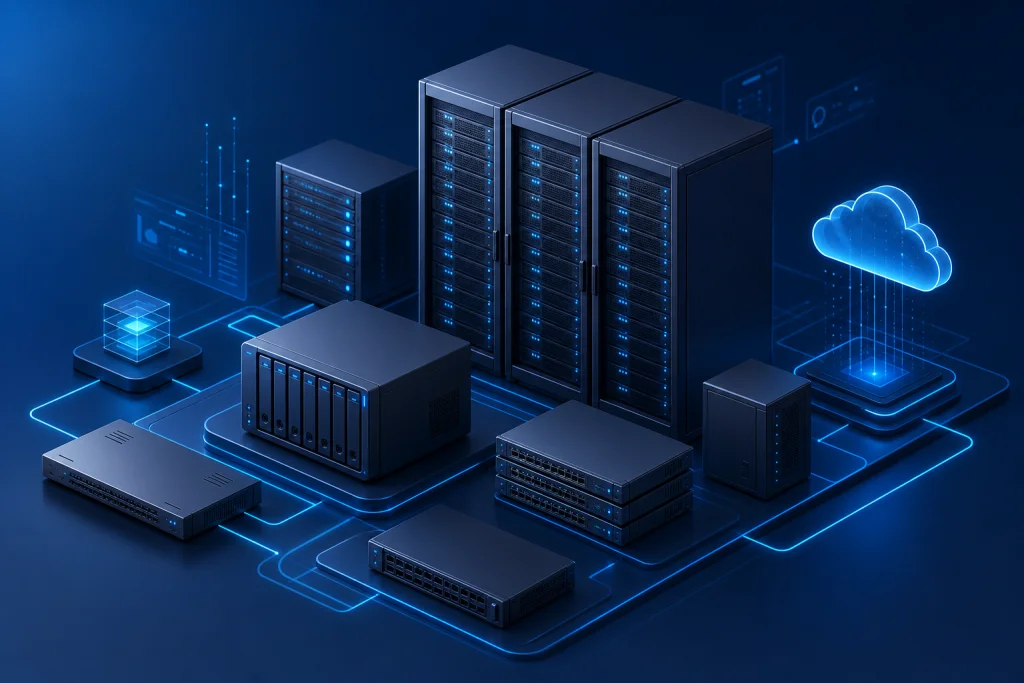
A typical enterprise virtualization architecture consists of a hypervisor layer running on x86 or ARM servers, abstracting physical resources into logical pools. The hypervisor (Type 1 bare-metal) directly manages CPU, memory, storage, and network I/O, eliminating OS overhead. VMware vSphere, for instance, uses ESXi hypervisor with VMkernel for resource scheduling, memory overcommitment, and advanced features like vMotion, DRS, and HA. Storage virtualization is achieved through software-defined storage (vSAN, S2D, or Ceph) or integration with enterprise storage arrays via Fibre Channel or iSCSI. Network virtualization uses virtual switches (vSwitch, Open vSwitch) and SDN controllers (NSX, Cisco ACI) to create isolated, policy-driven networks. Management planes like vCenter or SCVMM provide centralized provisioning, monitoring, and automation. For desktop virtualization, Citrix Virtual Apps and Desktops or VMware Horizon deliver Windows or Linux desktops from centralized hosts, using protocols like HDX or Blast Extreme for low-latency user experience. The architecture must include redundancy at every layer: multiple hypervisors in a cluster, shared storage with RAID/erasure coding, and redundant network paths. In Indonesia, where power fluctuations and latency to cloud regions can be issues, a well-designed on-premises virtualization solution ensures predictable performance and data sovereignty.

Industry Use Cases for Virtualization Solution

Virtualization is ubiquitous across industries in Indonesia, but specific use cases highlight its transformative impact. In banking and finance, server virtualization enables core banking systems to run on a consolidated infrastructure with strict isolation between production, test, and DR environments. Banks like BCA and Mandiri use VMware NSX for micro-segmentation to meet regulatory compliance (OJK) and protect customer data. Desktop virtualization (VDI) is widely adopted by BPOs and call centers in Jakarta and Bandung, where Citrix Virtual Apps and Desktops deliver secure, locked-down desktops to hundreds of agents, reducing endpoint management costs by 60% and preventing data leakage. In manufacturing, companies like Toyota Astra Motor use virtualization to run MES and SCADA systems on VMs with real-time capabilities, leveraging DRS to balance loads across shifts. Retailers with multiple stores (e.g., Alfamart) deploy centralized virtualized servers in regional data centers, pushing POS and inventory applications to thin clients, simplifying updates and ensuring 24/7 uptime. Healthcare providers, such as Siloam Hospitals, use VDI for doctors and nurses to access EMR systems from any device, with GPU virtualization for medical imaging. Educational institutions (e.g., Binus University) virtualize labs for computer science students, providing isolated environments for coding and testing. Even government agencies implement virtualization for e-government services, consolidating hundreds of legacy servers into a few hyper-converged nodes. Across all sectors, virtualization enables rapid provisioning—new VMs in minutes versus days for physical servers—and supports disaster recovery with replication between data centers in Jakarta and Surabaya.

How we work

Structured delivery from assessment to handover

Each phase has clear deliverables, owners, and acceptance criteria aligned to enterprise IT practice.

Approach

Virtualization Solution vs Traditional Alternatives

Traditional physical server deployment involves one application per server, leading to low utilization (typically 5-15% CPU), high power consumption, and massive floor space requirements. For a 100-server deployment, traditional setup would require 100 physical hosts, each with redundant power supplies and network ports, costing approximately $300,000 in hardware alone, plus $50,000/year in electricity and $10,000/year in cooling. In contrast, a virtualized solution using 10 modern servers (e.g., HP ProLiant DL380 Gen10 with 2TB RAM each) can host 100 VMs, achieving 60-80% utilization. Hardware cost drops to $150,000, power to $20,000/year, and cooling to $5,000/year. Additionally, provisioning time shrinks from weeks to hours. Traditional alternatives also lack built-in high availability; physical servers require clustering software (e.g., Microsoft Failover Cluster) or manual failover, whereas virtualization provides automated HA and live migration. For disaster recovery, traditional setups need duplicate physical infrastructure, while virtualization enables replication at the VM level using Veeam or Zerto, reducing DR site costs by 50%. Management overhead is significantly lower: a single administrator can manage 100 VMs with vCenter, versus needing multiple admins for physical servers. Security is also improved: virtual networks can be micro-segmented, and VMs can be snapshotted for quick recovery from ransomware. The only downside of virtualization is the initial learning curve and the need for a robust backup strategy to avoid VM sprawl. However, for Indonesian enterprises, the TCO reduction of 40-60% over 3 years makes virtualization the clear winner over traditional alternatives.

  • Another alternative is containerization without VMs (e.g., running containers directly on bare metal). While containers offer higher density and faster startup, they lack the isolation and security of VMs, and require compatible OS and kernel. For multi-tenant environments or legacy apps, VMs are still required. A hybrid approach using VMs for infrastructure services and containers for microservices is the best practice. Virtualization also integrates with existing IT investments: you can virtualize Windows, Linux, and even legacy Unix workloads (e.g., Solaris on LDOMs). In contrast, containers only support Linux and Windows Server Core. Thus, for enterprise workloads with heterogeneous OS requirements, virtualization remains the superior choice.

Capabilities

Case Study & Implementation Methodology

Client: Multifinance Company | Location: Jakarta, Indonesia | Challenge: 150 physical servers running core lending and CRM applications, with 10% average CPU utilization. Provisioning new servers took 2 weeks, and downtime during maintenance caused 12 hours of outage per quarter, resulting in IDR 500 million lost revenue annually. The IT team struggled with cooling capacity in their 200 sqm data center. | Solution: Intilogy designed and deployed a VMware vSphere 8 cluster with 8 Dell PowerEdge R750xs hosts (512GB RAM each), connected to a Dell PowerStore 5000T all-flash storage array (20TB usable). We implemented vSAN for local storage pooling, VMware NSX for network micro-segmentation, and Veeam Backup & Replication for 15-minute RPO. All 150 VMs were migrated using VMware HCX with zero downtime. | Result: Server count reduced to 8 physical hosts (95% consolidation). Provisioning time dropped to 30 minutes via vRealize Automation. Data center power consumption decreased by 70%, saving IDR 200 million/year. Quarterly maintenance downtime eliminated thanks to live migration; uptime improved to 99.999%. The company achieved ROI within 18 months and now plans to extend to VDI for 500 remote employees.

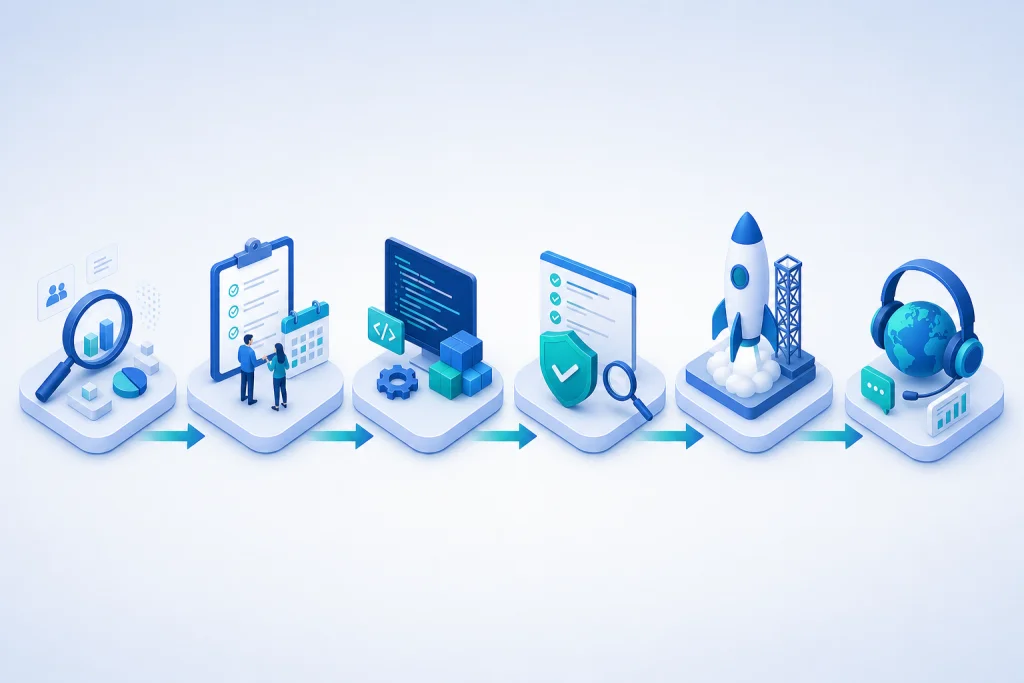
  • Our implementation methodology follows a six-phase approach: Assessment (discovery of existing workloads, performance baselines, and dependencies using tools like VMware Aria Operations), Design (architecture blueprint including cluster sizing, storage layout, network topology, and security policies), Proof of Concept (deploy a mini-cluster with representative workloads to validate performance and migration process), Migration (phased migration using bulk import tools, with rollback plans), Optimization (right-sizing VMs, enabling DRS and power management, setting up monitoring alerts), and Handover (training IT staff, documentation, and ongoing support). For Indonesian clients, we also ensure compliance with UU ITE and PDP law by implementing encryption at rest and in transit, and role-based access control. Our certified engineers (VCP, MCSE, CCA) provide 24/7 support from our NOC in Jakarta, with guaranteed 4-hour response for critical issues. We also offer flexible consumption models, including OPEX-based monthly payments for hardware and software, making virtualization accessible for enterprises of all sizes.
Use cases

P2V migration

Production cluster HA

DR cluster

vSphere upgrade

Virtualization Solution for Enterprise

Our engineers help design, deploy, and support enterprise IT solutions across Indonesia.

Request a quote Contact our team

Related pages

E-E-A-T · Expertise & trust

IT infrastructure & data center expertise

Infrastructure engineers support server/storage sizing, VMware, rack & stack, and operational handover.

  • 500+ Infrastructure deployments
  • 24/7 Operational support
  • SLA Enterprise SLA
  • 150+ Clients & institutions

Engineering & delivery expertise

Engineer-led assessment

Requirements workshops, sizing, and architecture — not catalogue selling without context.

Documented deployment

Commissioning checklists, as-built diagrams, IP plans, and escalation runbooks.

Audit-ready procurement

BoQ/BOM, quotations, POs, and handover packs for tenders and IT audits.

Multi-vendor coordination

One project partner for servers, networks, security, backup, and licensing.

Vendor ecosystem & sourcing channels

We source through official distributors/resellers per brand and project. Specific partnership tiers are confirmed per RFP — see our credentials page.

Vendor Status / tier Scope Notes
Dell Technologies Authorized channel PowerEdge, storage BoQ & manufacturer warranty
HPE Authorized channel ProLiant Enterprise servers
Fortinet Implementation partner NGFW, SD-WAN Licensing & deployment
Veeam Implementation partner Backup, replication Immutable design
VMware Implementation partner vSphere Cluster & migration

Tiers vary by SKU/region. Contact sales@intilogy.com for distributor letters or engineer certificates.

Enterprise implementation methodology

Standard flow for infrastructure, security, and backup projects — scoped per contract.

  1. Discovery & assessment

    Duration: 1–2 weeks

    Deliverables Requirements & risk report

  2. Architecture & BoQ

    Duration: 1–2 weeks

    Deliverables HLD, BoQ, rollout plan

  3. Procurement & staging

    Duration: 2–4 weeks

    Deliverables Asset register

  4. Implementation & UAT

    Duration: 2–6 weeks

    Deliverables As-built, UAT sign-off

  5. Handover & operations

    Duration: Ongoing

    Deliverables SOPs, training, SLA if contracted

Support & SLA (per project contract)

Service levels are defined in agreement — example framework below.

Standard maintenance

Response
Next business day (remote)
Coverage
Firmware advisory, tickets, RMA
Notes
Indonesia business hours

Project warranty

Response
Per implementation contract
Coverage
Defects in Intilogy deployment scope
Notes
Not 24/7 unless agreed

Critical incident (optional)

Response
4–8 hours if contracted
Coverage
Production-critical escalation
Notes
Requires separate MSA

Response times are illustrative — binding only when written in contract.

Technical documentation delivered

  • Topology & rack diagrams (as-built)
  • Asset list, serials, warranty status
  • Critical config summary & change log
  • Basic operations runbook & escalation contacts
  • Restore / DR drill reports (if in scope)
  • Tender packs: distributor letters & engineer certs (on request)

Competency & certifications

Engineers train on vendor technologies per project. Individual certs (Fortinet NSE, VMware VCP, Veeam VMCE, etc.) are provided for tenders — not all listed publicly.

  • Engineer certifications — Per project technology — on request
  • Distributor letters — For procurement audit
  • Client references — See Clients page for logos & scope

View certifications & partnerships

Ready to discuss architecture & BoQ?

Our team supports assessment, recommendations, procurement, and documented implementation.

WhatsApp Consult on WhatsApp
Request Consultation WhatsApp