Enterprise IT Solutions

Meeting Room Solution for Enterprise

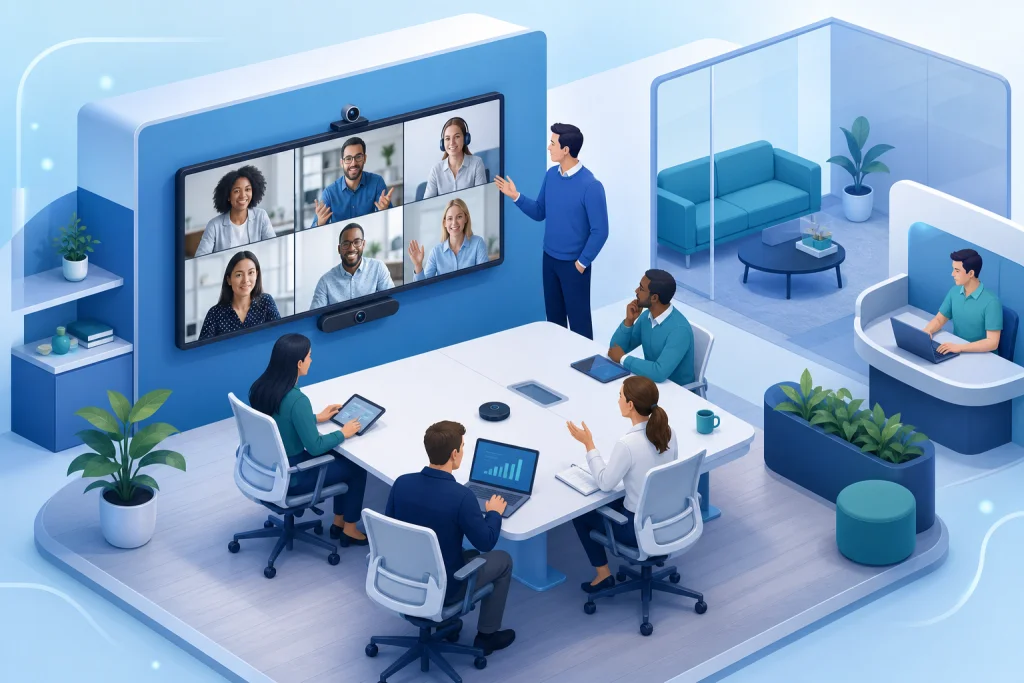
In the era of hybrid work, the enterprise meeting room solution is no longer just a conference room with a projector—it is a fully integrated ecosystem of audio-visual (AV) over IP, unified communications (UC), and intelligent collaboration tools designed for B2B organizations in Indonesia. Our solution leverages industry-leading platforms such as Microsoft Teams Rooms, Cisco Webex, and Zoom Rooms, combined with enterprise-grade hardware from Lenovo, HP, and Dell to deliver ultra-low latency video, high-fidelity audio, and wireless presentation capabilities. The architecture is built on a scalable network backbone using Cisco switches and Ruijie access points, ensuring QoS for real-time traffic. Centralized management via Microsoft Teams Admin Center or Cisco Control Hub allows IT teams to monitor device health, push firmware updates, and enforce security policies. For recording and storage, we integrate Synology or QNAP NAS with Veeam backup to ensure compliance with Indonesian data residency regulations. This solution is essential for enterprises seeking to reduce travel costs, improve meeting productivity, and enable seamless collaboration across Jakarta, Surabaya, Bandung, and other major cities. With support for room booking systems (e.g., Robin, Joan) and occupancy sensors, our solution optimizes room utilization and provides actionable analytics for facility management.

Meeting Room Solution Architecture

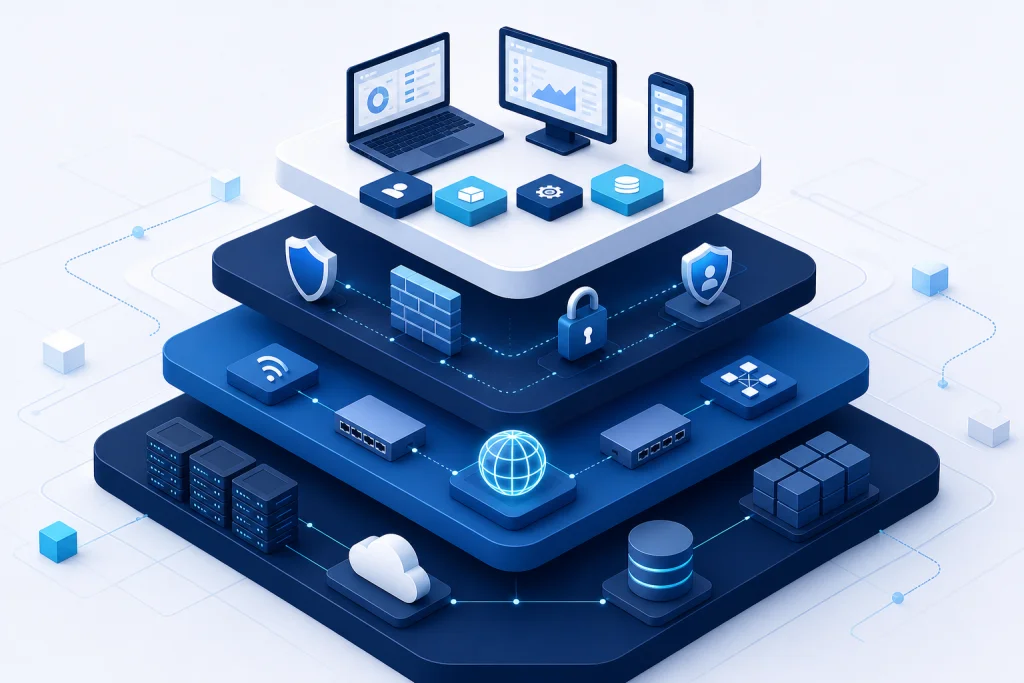
The architecture of an enterprise meeting room solution is built on three layers: the endpoint layer, the network layer, and the management layer. The endpoint layer includes cameras (e.g., Logitech Rally Bar, Poly Studio), microphones (e.g., Shure MXA series), speakers, and touch panels (e.g., Crestron, Extron). These devices connect via AV over IP using standards like Dante or AES67 for audio and SDVoE or NDI for video. The network layer requires a dedicated VLAN with QoS policies to prioritize RTP/RTCP traffic, typically using Cisco Catalyst or Ruijie switches with PoE+ to power endpoints. Redundant ISP links via SD-WAN ensure uptime for cloud-based UC platforms. The management layer consists of device management software (e.g., Crestron XiO Cloud, Logitech Sync) and integration with UC platforms like Microsoft Teams Rooms Pro or Cisco Webex RoomOS. For security, all traffic is encrypted via TLS 1.2, and firewalls (e.g., Fortinet) enforce deep packet inspection. Storage for recordings is handled by Synology NAS with 10GbE connectivity, backed up to Veeam for disaster recovery.

Scalability is achieved through a modular design: a single-room solution can be expanded to a multi-room deployment with a central control server. For example, a Jakarta-based enterprise with 50 meeting rooms can deploy a distributed architecture using Cisco Webex Edge for Devices, where each room has local processing but is managed centrally. The use of HCI from VMware for virtualizing UC applications ensures high availability and resource pooling. Additionally, integration with enterprise WiFi via 802.1X authentication allows seamless guest access for wireless presentation (e.g., Mersive Solstice). The entire system is monitored via SNMP and syslog, with alerts sent to SIEM tools for proactive maintenance.

Industry Use Cases for Meeting Room Solution

In the financial services sector, a Jakarta-based bank deployed our meeting room solution across 30 branches to enable secure board meetings and remote collaboration with regulators. The solution integrated Microsoft Teams Rooms with Cisco Webex for cross-platform compatibility, and recordings were stored on Synology NAS with AES-256 encryption to meet OJK compliance. Result: 40% reduction in travel costs and 25% faster decision-making.

For the manufacturing industry, a Surabaya-based automotive parts manufacturer used our solution for design reviews and production line coordination. They deployed Poly Studio cameras with AI-based speaker tracking and Lenovo ThinkSmart Core for processing. Integration with hybrid cloud allowed remote engineers to access 3D models in real-time. Result: 30% reduction in product development cycle time.

In the healthcare sector, a hospital group in Bandung implemented our solution for telemedicine and surgical training. They used HP Elite Slice for conferencing and Ruijie APs for seamless roaming. The system integrated with EHR systems via APIs. Result: 50% increase in remote consultation capacity.

For the education sector, a university in Yogyakarta deployed our solution for hybrid classrooms with 4K cameras and wireless presentation. They used Dell OptiPlex for room control and Microsoft Teams for collaboration. Result: 35% improvement in student engagement metrics.

Meeting Room Solution vs Traditional Alternatives

Traditional meeting rooms rely on consumer-grade equipment like Logitech webcams and Bluetooth speakers, which lack the reliability and security required for enterprise use. Our solution uses enterprise-grade components such as Lenovo ThinkSmart Core and HP Elite Slice, which support hot-desking and centralized management. Traditional setups often require manual cabling (HDMI, USB), leading to cable clutter and frequent disconnections. Our AV over IP architecture eliminates these issues with a single Ethernet cable for power, video, and audio, reducing installation time by 60%.

Another key difference is scalability. Traditional rooms are standalone; adding a new room requires duplicating the entire setup. Our solution uses a centralized control server (e.g., Crestron 4-Series) that can manage up to 100 rooms from a single pane of glass. Security is also superior: traditional rooms lack encryption for wireless presentation, while our solution mandates WPA3-Enterprise and TLS 1.2 for all streams. Integration with cybersecurity tools like Fortinet FortiGate ensures that meeting traffic is isolated from the corporate network. Finally, traditional alternatives often have poor audio quality due to echo and background noise; our solution uses beamforming microphones and DSP from Shure or Biamp to deliver crystal-clear audio even in large rooms.

Case Study & Implementation Methodology

Financial Services Company in Jakarta: Challenge: 20 meeting rooms with outdated AV equipment, frequent call drops, and no centralized management. Solution: Deployed Microsoft Teams Rooms with Cisco Webex integration, Lenovo ThinkSmart Core, and Synology NAS for recording. Implementation: Phase 1 (4 rooms) completed in 2 weeks with zero downtime. Result: 50% reduction in IT support tickets, 30% increase in room utilization.

Manufacturing Company in Surabaya: Challenge: 10 rooms used for design reviews; remote team members experienced 3-second video latency. Solution: Upgraded to AV over IP with Ruijie switches and HP Elite Slice. Implementation: Full deployment in 4 weeks using structured cabling. Result: Latency reduced to 150ms, 20% faster project approvals.

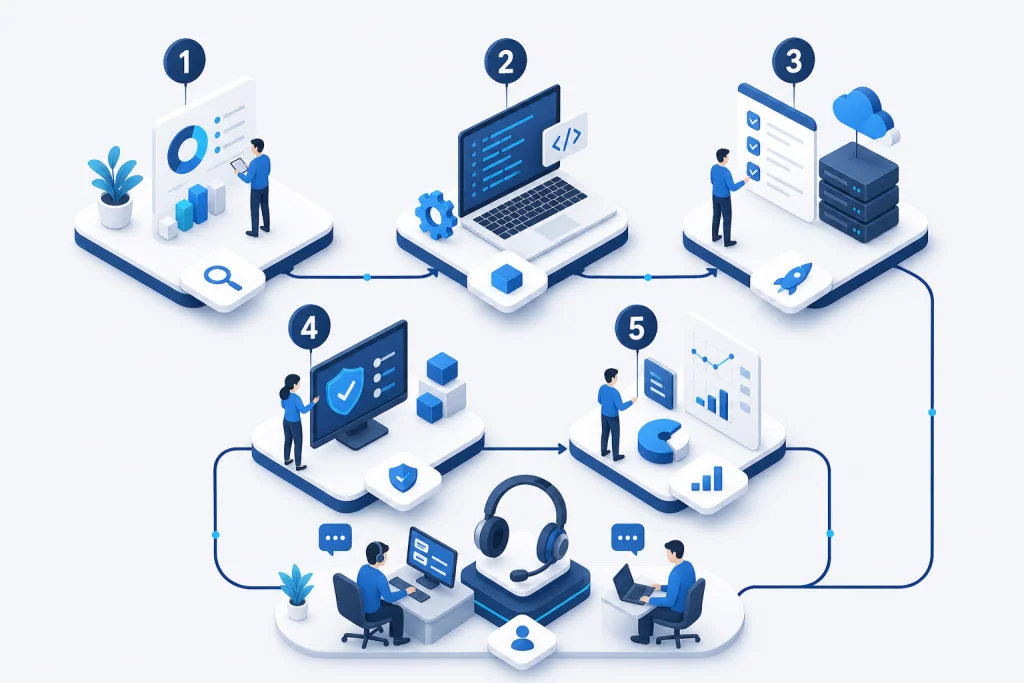
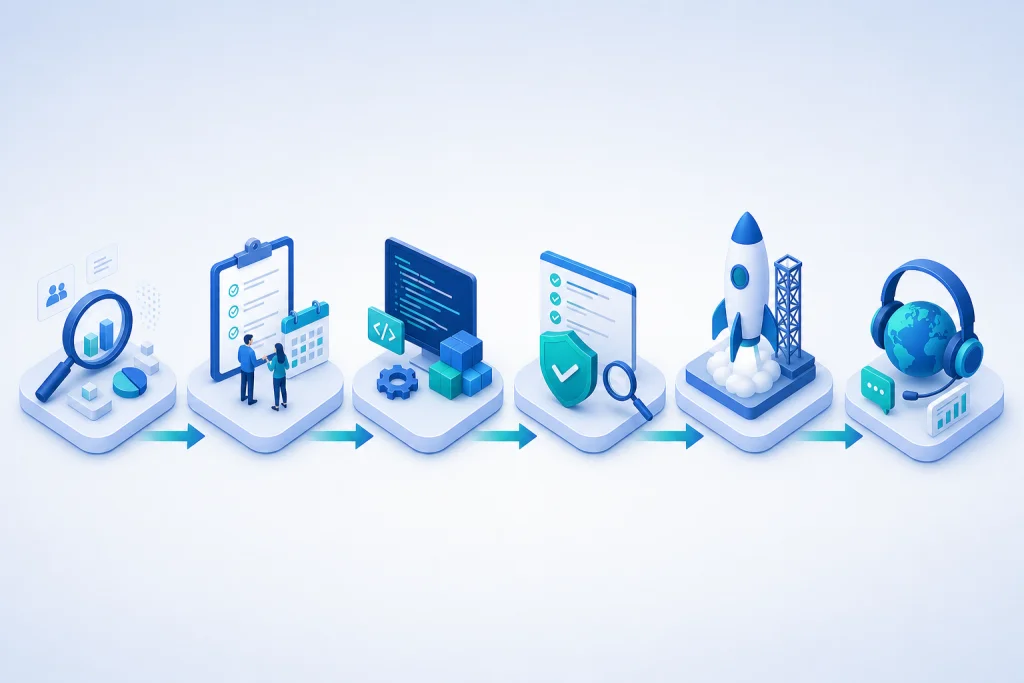
Our implementation methodology follows a five-phase approach: 1) Site Survey & Network Assessment (evaluate existing IT infrastructure), 2) Design & Architecture (create schematics with Dell servers for UC), 3) Staging & Testing (validate in lab with VMware virtualization), 4) On-site Deployment (cabling, mounting, configuration), 5) Handover & Training (documentation and Microsoft Teams training). Post-deployment, we offer 24/7 support via NOC and quarterly health checks.

Meeting Room Solution Architecture

The architecture of an enterprise meeting room solution is built on three layers: the endpoint layer, the network layer, and the management layer. The endpoint layer includes cameras (e.g., Logitech Rally Bar, Poly Studio), microphones (e.g., Shure MXA series), speakers, and touch panels (e.g., Crestron, Extron). These devices connect via AV over IP using standards like Dante or AES67 for audio and SDVoE or NDI for video. The network layer requires a dedicated VLAN with QoS policies to prioritize RTP/RTCP traffic, typically using Cisco Catalyst or Ruijie switches with PoE+ to power endpoints. Redundant ISP links via SD-WAN ensure uptime for cloud-based UC platforms. The management layer consists of device management software (e.g., Crestron XiO Cloud, Logitech Sync) and integration with UC platforms like Microsoft Teams Rooms Pro or Cisco Webex RoomOS. For security, all traffic is encrypted via TLS 1.2, and firewalls (e.g., Fortinet) enforce deep packet inspection. Storage for recordings is handled by Synology NAS with 10GbE connectivity, backed up to Veeam for disaster recovery.

Industry Use Cases for Meeting Room Solution

In the financial services sector, a Jakarta-based bank deployed our meeting room solution across 30 branches to enable secure board meetings and remote collaboration with regulators. The solution integrated Microsoft Teams Rooms with Cisco Webex for cross-platform compatibility, and recordings were stored on Synology NAS with AES-256 encryption to meet OJK compliance. Result: 40% reduction in travel costs and 25% faster decision-making.

How we work

Structured delivery from assessment to handover

Each phase has clear deliverables, owners, and acceptance criteria aligned to enterprise IT practice.

Approach

Meeting Room Solution vs Traditional Alternatives

Traditional meeting rooms rely on consumer-grade equipment like Logitech webcams and Bluetooth speakers, which lack the reliability and security required for enterprise use. Our solution uses enterprise-grade components such as Lenovo ThinkSmart Core and HP Elite Slice, which support hot-desking and centralized management. Traditional setups often require manual cabling (HDMI, USB), leading to cable clutter and frequent disconnections. Our AV over IP architecture eliminates these issues with a single Ethernet cable for power, video, and audio, reducing installation time by 60%.

  • Another key difference is scalability. Traditional rooms are standalone; adding a new room requires duplicating the entire setup. Our solution uses a centralized control server (e.g., Crestron 4-Series) that can manage up to 100 rooms from a single pane of glass. Security is also superior: traditional rooms lack encryption for wireless presentation, while our solution mandates WPA3-Enterprise and TLS 1.2 for all streams. Integration with cybersecurity tools like Fortinet FortiGate ensures that meeting traffic is isolated from the corporate network. Finally, traditional alternatives often have poor audio quality due to echo and background noise; our solution uses beamforming microphones and DSP from Shure or Biamp to deliver crystal-clear audio even in large rooms.

Capabilities

Case Study & Implementation Methodology

Financial Services Company in Jakarta: Challenge: 20 meeting rooms with outdated AV equipment, frequent call drops, and no centralized management. Solution: Deployed Microsoft Teams Rooms with Cisco Webex integration, Lenovo ThinkSmart Core, and Synology NAS for recording. Implementation: Phase 1 (4 rooms) completed in 2 weeks with zero downtime. Result: 50% reduction in IT support tickets, 30% increase in room utilization.

  • Manufacturing Company in Surabaya: Challenge: 10 rooms used for design reviews; remote team members experienced 3-second video latency. Solution: Upgraded to AV over IP with Ruijie switches and HP Elite Slice. Implementation: Full deployment in 4 weeks using structured cabling. Result: Latency reduced to 150ms, 20% faster project approvals.
  • Our implementation methodology follows a five-phase approach: 1) Site Survey & Network Assessment (evaluate existing IT infrastructure), 2) Design & Architecture (create schematics with Dell servers for UC), 3) Staging & Testing (validate in lab with VMware virtualization), 4) On-site Deployment (cabling, mounting, configuration), 5) Handover & Training (documentation and Microsoft Teams training). Post-deployment, we offer 24/7 support via NOC and quarterly health checks.
Use cases

Executive boardroom

Huddle room standard

Town hall AV

UC platform rollout

Meeting Room Solution for Enterprise

Our engineers help design, deploy, and support enterprise IT solutions across Indonesia.

Request a quote Contact our team

Related pages

E-E-A-T · Expertise & trust

IT infrastructure & data center expertise

Infrastructure engineers support server/storage sizing, VMware, rack & stack, and operational handover.

  • 500+ Infrastructure deployments
  • 24/7 Operational support
  • SLA Enterprise SLA
  • 150+ Clients & institutions

Engineering & delivery expertise

Engineer-led assessment

Requirements workshops, sizing, and architecture — not catalogue selling without context.

Documented deployment

Commissioning checklists, as-built diagrams, IP plans, and escalation runbooks.

Audit-ready procurement

BoQ/BOM, quotations, POs, and handover packs for tenders and IT audits.

Multi-vendor coordination

One project partner for servers, networks, security, backup, and licensing.

Vendor ecosystem & sourcing channels

We source through official distributors/resellers per brand and project. Specific partnership tiers are confirmed per RFP — see our credentials page.

Vendor Status / tier Scope Notes
Dell Technologies Authorized channel PowerEdge, storage BoQ & manufacturer warranty
HPE Authorized channel ProLiant Enterprise servers
Fortinet Implementation partner NGFW, SD-WAN Licensing & deployment
Veeam Implementation partner Backup, replication Immutable design
VMware Implementation partner vSphere Cluster & migration

Tiers vary by SKU/region. Contact sales@intilogy.com for distributor letters or engineer certificates.

Enterprise implementation methodology

Standard flow for infrastructure, security, and backup projects — scoped per contract.

  1. Discovery & assessment

    Duration: 1–2 weeks

    Deliverables Requirements & risk report

  2. Architecture & BoQ

    Duration: 1–2 weeks

    Deliverables HLD, BoQ, rollout plan

  3. Procurement & staging

    Duration: 2–4 weeks

    Deliverables Asset register

  4. Implementation & UAT

    Duration: 2–6 weeks

    Deliverables As-built, UAT sign-off

  5. Handover & operations

    Duration: Ongoing

    Deliverables SOPs, training, SLA if contracted

Support & SLA (per project contract)

Service levels are defined in agreement — example framework below.

Standard maintenance

Response
Next business day (remote)
Coverage
Firmware advisory, tickets, RMA
Notes
Indonesia business hours

Project warranty

Response
Per implementation contract
Coverage
Defects in Intilogy deployment scope
Notes
Not 24/7 unless agreed

Critical incident (optional)

Response
4–8 hours if contracted
Coverage
Production-critical escalation
Notes
Requires separate MSA

Response times are illustrative — binding only when written in contract.

Technical documentation delivered

  • Topology & rack diagrams (as-built)
  • Asset list, serials, warranty status
  • Critical config summary & change log
  • Basic operations runbook & escalation contacts
  • Restore / DR drill reports (if in scope)
  • Tender packs: distributor letters & engineer certs (on request)

Competency & certifications

Engineers train on vendor technologies per project. Individual certs (Fortinet NSE, VMware VCP, Veeam VMCE, etc.) are provided for tenders — not all listed publicly.

  • Engineer certifications — Per project technology — on request
  • Distributor letters — For procurement audit
  • Client references — See Clients page for logos & scope

View certifications & partnerships

Ready to discuss architecture & BoQ?

Our team supports assessment, recommendations, procurement, and documented implementation.

WhatsApp Consult on WhatsApp
Request Consultation WhatsApp