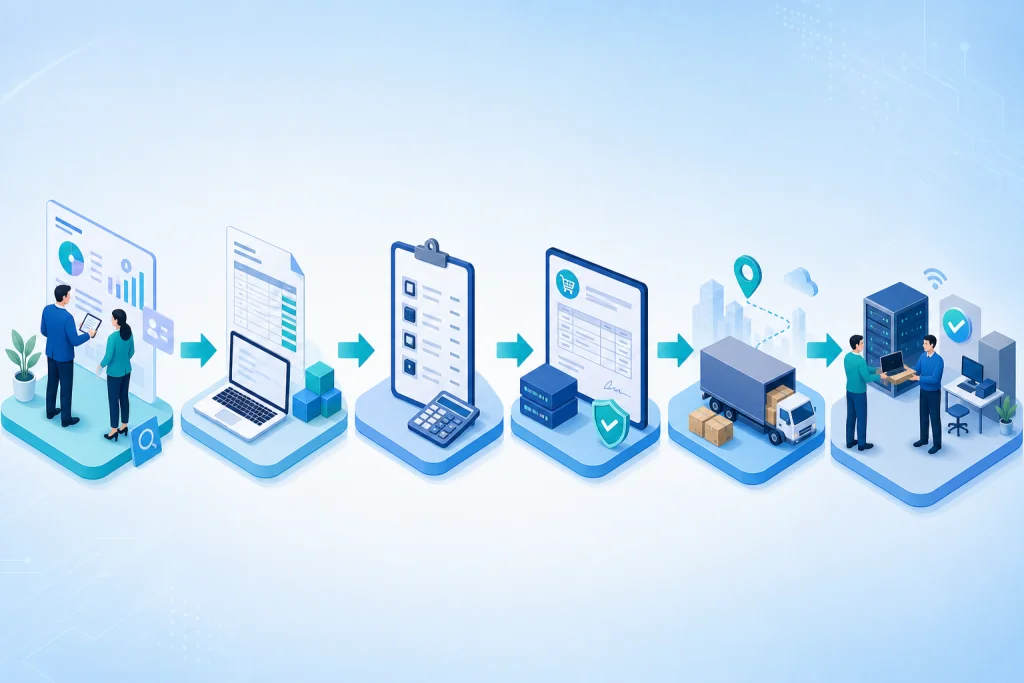
Industrial Printer Procurement Architecture
The architecture for industrial printer procurement encompasses hardware, software, and network components designed for high-throughput environments. At the hardware level, printers are categorized by technology: thermal transfer for durable labels, direct thermal for short-term tags, and industrial inkjet for high-speed color output. Key specifications include print resolution (203–600 dpi), print speed (up to 12 inches per second), and media width (4–8 inches). Connectivity options like Gigabit Ethernet, USB 3.0, and wireless protocols (Wi-Fi 6, Bluetooth 5.0) enable integration with local area networks (LAN) and cloud-based management systems. For enterprise scalability, printers should support SNMP for monitoring and be compatible with middleware like ZebraLink or HP Web Jetadmin. Security features such as secure boot, encrypted communication, and user authentication are critical to prevent unauthorized access. The procurement architecture also includes power backup (UPS) and environmental controls (temperature, humidity) to ensure reliability. Enterprises should consider modular designs that allow upgrades (e.g., cutter, rewinder) without replacing the entire unit. Vendor selection involves evaluating service level agreements (SLAs), spare parts availability, and training programs. In Indonesia, local distributors offer tailored configurations for industries like logistics, retail, and manufacturing.
Integrating industrial printers with existing server and storage systems ensures efficient print job management and data logging. For example, using a dedicated print server with load balancing can handle multiple printers across facilities. Cloud-based print management platforms enable remote monitoring and firmware updates, reducing on-site maintenance. Additionally, pairing printers with barcode scanners and RFID readers streamlines asset tracking workflows. The architecture must also account for media handling—label dispensers, cutters, and stackers—to automate output. For high-volume environments, a cluster of printers with redundant network paths can achieve 99.9% uptime. Security protocols like 802.1X authentication and VLAN segmentation protect print data from interception. Finally, procurement contracts should include installation, calibration, and ongoing support to maximize ROI.
Industry Use Cases for Industrial Printer Procurement
Industrial printers serve critical roles across diverse sectors in Indonesia. In logistics and warehousing, thermal printers generate shipping labels, barcodes, and RFID tags at high speeds, enabling real-time tracking. For example, a 3PL warehouse in Jakarta processing 50,000 parcels daily uses industrial printers to print labels on-demand, reducing errors by 30%. In manufacturing, durable printers produce asset tags, safety labels, and compliance markings that withstand heat, chemicals, and abrasion. A food processing plant in Surabaya implemented HP industrial printers for date-coding and lot tracking, achieving 99.5% scan accuracy. Retail enterprises use industrial printers for price tags, shelf labels, and promotional stickers, with centralized management ensuring brand consistency across hundreds of stores. Healthcare facilities require sterile label printers for specimen tracking and medication labeling, adhering to GS1 standards. A hospital in Bandung deployed Lenovo printers for patient wristbands, reducing misidentification incidents by 40%.
Other use cases include transportation for baggage tags and boarding passes at airports, and government for secure ID cards and tax stamps. The common thread is the need for high-volume, reliable printing with minimal intervention. Industrial printers also integrate with enterprise CCTV systems for security labeling and with networking infrastructure for remote diagnostics. In the energy sector, printers label pipelines and equipment in extreme conditions, while in agriculture, they print traceability tags for produce. Each use case demands specific media and durability, making vendor expertise critical. By partnering with Intilogy, enterprises can select printers that match their operational intensity and environmental challenges, ensuring seamless integration with existing workflows.
Industrial Printer Procurement vs Traditional Alternatives
Traditional office printers are ill-suited for industrial environments due to lower duty cycles, slower speeds, and limited media handling. Industrial printers typically support duty cycles of 10,000+ pages per day versus 2,000 for office printers, and can operate 24/7 in temperatures from 0°C to 40°C. Print speed is another differentiator: industrial models achieve 10–12 inches per second, while office printers average 1–2 inches per second. Media compatibility also varies—industrial printers handle rolls up to 8 inches wide and materials like polypropylene, polyester, and vinyl, whereas office printers are limited to standard paper. Connectivity options in industrial printers include industrial protocols like RS-232 and GPIO for automation integration, which office printers lack. Additionally, industrial printers feature ruggedized enclosures (IP54 or higher) to resist dust and moisture, unlike office printers that require climate-controlled environments.
Cost-wise, industrial printers have higher upfront costs (IDR 30–100 million) but lower TCO due to longer lifespan and lower consumable costs per label. Office printers have lower initial cost but higher per-label cost and frequent breakdowns in harsh conditions. Maintenance for industrial printers is often modular, allowing quick replacement of printheads and rollers without specialized tools. In contrast, office printers require factory service for many repairs. For enterprises in Indonesia, investing in industrial printers reduces downtime and improves operational efficiency. Alternatives like outsourcing printing to service bureaus may seem cheaper but introduce latency and loss of control. By choosing industrial printers, enterprises gain autonomy and scalability. Hyperconverged infrastructure can also support print management software, further streamlining operations. Ultimately, the decision hinges on print volume, environment, and integration needs.
Case Study & Implementation Methodology
Logistics Company in Jakarta, Challenge: Manual labeling for 30,000 parcels/day caused 8% error rate and delays. Solution: Deployed 50 HP PageWide industrial printers integrated with WMS via hybrid cloud. Result: Error rate reduced to 0.5%, throughput increased 40%, ROI achieved in 8 months.
Manufacturing Plant in Bekasi, Challenge: Asset tags failed due to heat, leading to 15% misidentification. Solution: Installed 20 Lenovo ruggedized printers with thermal transfer technology and backup and disaster recovery for print servers. Result: Tag durability improved 300%, misidentification eliminated, maintenance costs down 25%.
Implementation methodology follows a phased approach: Phase 1 – Assessment: Audit print volume, media types, environment, and existing IT infrastructure. Phase 2 – Vendor Selection: Compare HP, Lenovo, and Synology based on TCO, SLA, and local support. Phase 3 – Pilot: Deploy 5 printers in a controlled zone, measure uptime and error rates. Phase 4 – Full Rollout: Scale to all facilities with network segmentation and centralized management. Phase 5 – Optimization: Monitor performance via SNMP and adjust configurations. Key metrics include print speed, error rate, and consumable usage. Post-implementation, enterprises report 30–50% reduction in labeling costs and 20% improvement in operational efficiency. Intilogy provides end-to-end support, from procurement to maintenance, ensuring seamless integration with IT infrastructure.